Wrap 1M Presents To Escape Free Auto Wrap Guide
Join the 2PLUMP Games group once and stop mashing wraps by hand.
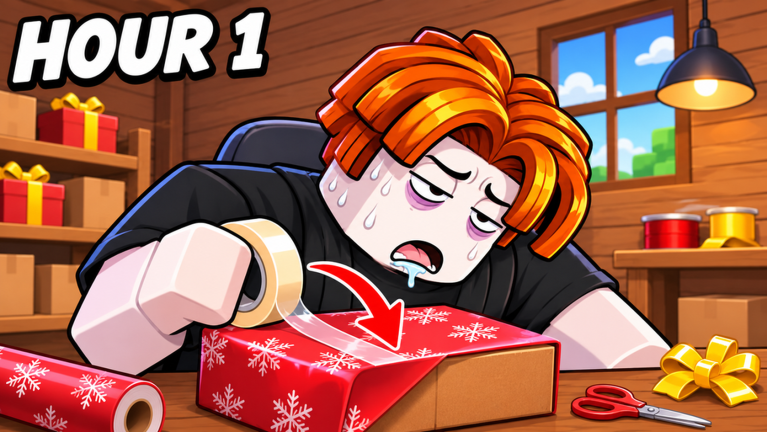
The single best early unlock in Wrap 1M Presents To Escape is free: Auto Wrap from the 2PLUMP Games Roblox group. This guide shows exactly how to claim it, how it compares to Robot Arms and Present Cannons, and how to combine it with codes and the gems & upgrades plan.
Skipping the group join is the most expensive mistake new players make. Manual wrapping burns time you could spend exploring workshop secrets or prepping Hard & Nightmare.
Why Auto Wrap matters
Wrap 1M Presents To Escape asks for 1,000,000 presents before the Chapter 1 door opens. Auto Wrap keeps the counter moving while you:
- Read the Controls & HUD layout
- Buy Tape Gun and Robot Arms from the shop
- Invite friends for co-op
- Scout lore props without losing wraps per second
Official group perks are safer than random executors. Read Scripts only for awareness; Auto Wrap covers the early automation need without risking the account.
Step-by-step: claim free Auto Wrap
- Open the official experience: Wrap 1M Presents To Escape on Roblox.
- From the experience page or in-game prompts, open the 2PLUMP Games group (creator group for this place).
- Tap Join Group while logged into the account you will play on.
- Relaunch or rejoin the basement so group perks refresh.
- Confirm wraps continue without constant clicking—the Auto Wrap perk should now assist your loop.
If nothing changes, leave and rejoin the server, verify you joined on the correct account, and make sure you are not in a private test copy of the place.
Auto Wrap vs paid tools
| Upgrade | Cost style | Role |
|---|---|---|
| Auto Wrap (group) | Free (join group) | Baseline idle wraps |
| Tape Gun / Paint Roller | Gems | Better manual / early tools |
| Robot Arms | Gems | Stronger idle automation |
| 3D Present Printer | Gems | Mid-game throughput |
| Present Cannon | Gems | Late burst wrapping |
Auto Wrap does not replace the full wrapping tools tier list. It removes the worst of the finger grind so gem spends can target S-tier tools instead of panic clicks.
Combine with codes and gems
After joining the group:
- Redeem anything listed on the Codes Hub (pool is still young as of November 2026).
- Spend early gems using gems & upgrades.
- Follow Fast Escape once Arms are online.
The November 26, 2026 live build stamp shows the experience is still receiving patches—recheck group shouts after updates in case perk text or join links move.
Co-op and Auto Wrap
Every friend should join 2PLUMP Games on their own account. One player with Auto Wrap cannot grant it to the lobby. Assign roles on the Co-op page so someone still banks gems into Arms while others explore.
Troubleshooting
- Joined but no perk — Rejoin the experience; wait for HUD load; confirm group membership on roblox.com.
- Wrong account — Group joins are per account. Alt accounts need their own join.
- Thinking scripts are required — They are not for Normal clears. Prefer Auto Wrap + gem tools; see Scripts for safety notes only.
- Still too slow — You need tool upgrades, not more clicking. Open the tier list and Fast Escape guides.
After Auto Wrap is on
Return to Getting Started for the first-hour checklist, then push the million with automation stacking. When Normal feels easy, hunt badges via Badges and consider Hard Mode with a gem buffer intact.
Free Auto Wrap is the tutorial the game expects you to finish before the real systems puzzle begins. Join once, rejoin the basement, and let the presents pile up while you learn the shop.
Frequently Asked Questions
Quick answers players ask while wrapping toward the million.
Is Auto Wrap really free?
Yes. Join the official 2PLUMP Games Roblox group linked from the experience. No Robux required for the perk itself.
Does Auto Wrap finish the million alone?
It helps a lot early, but Robot Arms, printers, and cannons still matter. Use the tier list for gem spends.
Can one group join cover my whole party?
No. Each account must join 2PLUMP Games separately to receive the perk.
Should I use scripts instead?
Not for beginners. Auto Wrap plus gem tools is the intended path. Scripts page explains risks if you still research them.